
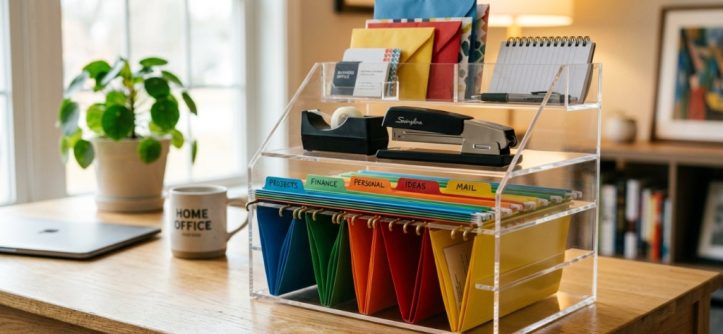
Is your desk buried under sticky notes, loose pens, and tangled chargers? You are not alone. A cluttered workspace quietly drains your focus, making it harder to find what you need and easier to lose momentum. The problem isn’t that you lack storage—it’s that you lack the right system. Choosing the right office desk organizer isn’t about buying the biggest tray or the trendiest caddy. It’s about matching your workflow, your space, and your habits to a solution that actually works. This guide walks you through the decision process step by step, covering materials, layout, sizing, and the mistakes most people make before they even start shopping.
Why Your Current Desk Setup Probably Isn’t Working
Most people buy desk organizers based on looks alone. They see a sleek bamboo tray or a colorful mesh set and assume it will solve their clutter problem. Then, a week later, the same mess returns—just arranged differently. The issue is usually a mismatch between the organizer’s design and your actual workflow.
Before you spend another dollar, take a hard look at how you work. Do you keep multiple projects active at once? Are you mostly digital but still drowning in cables? Do you use paper notes heavily or barely at all? The answers change everything. A minimalist who works on a laptop needs something completely different from a project manager juggling folders, sticky notes, and a landline.
Another overlooked factor is your dominant hand. Sounds minor, but it matters. If you’re right-handed, frequently used items should sit on your right side. If they’re on your left, you’ll constantly reach across your body, creating micro-frustrations that add up over a workday. The right office desk organizer should feel almost invisible—it simply supports how you already work, rather than forcing you to adapt to it.
Assess Your Desk Space Before Buying Anything
This is the step everyone skips, and it’s the most important one. You need to measure your desk surface and understand its layout before you can choose an organizer that fits. Grab a tape measure and note the width and depth of your desk. Also, pay attention to the corners—some organizers are square, but many desks have rounded edges that reduce usable space.
Measure Your Work Zone
Your primary work zone is the area directly in front of you where your keyboard, mouse, or notebook sits. Anything placed in this zone will get in the way. Organizers should live at the edges of this zone, not inside it. Measure the space to the left and right of your keyboard area. That’s your real estate for organizing.
Also, check for obstacles. Do you have a monitor stand, a desk lamp, or a phone dock? These items take up space and affect where an organizer can go. If your desk is against a wall, you have more room for vertical storage. If it’s in the middle of a room, you’re limited to the surface area alone.
Consider Vertical Space
If your desk surface is small, look up. Vertical organizers—stackable trays, wall-mounted shelves, or under-monitor risers—can multiply your storage without eating into your work area. Many people overlook this option and end up with a cluttered desk because they only think horizontally. A simple two-tier riser can hold your monitor, while the lower tier stores pens, notepads, and small accessories, To complete your workspace setup, make sure you pair your tidy workstation with the Best Office Chair for Back Support in WA.
Match the Organizer to Your Workflow
Your workflow determines what kind of organizer you need. There’s no one-size-fits-all solution, and trying to force one will only create more frustration. Let’s break down the most common work styles and the organizers that suit them best.
The Digital-First Worker
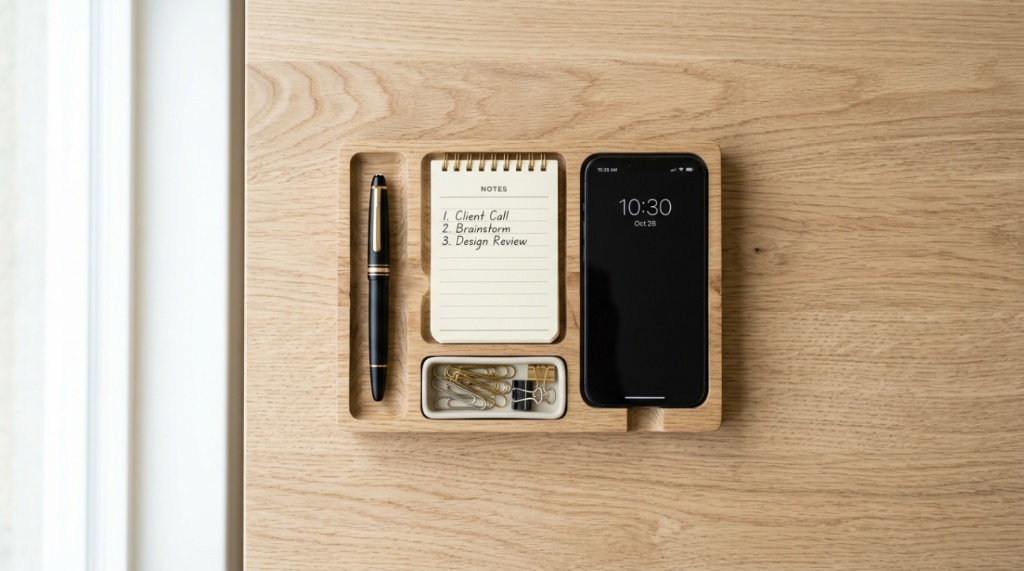
If you work mostly on a computer, your clutter is probably cables, chargers, headphones, and the occasional coffee mug. You don’t need a massive paper tray system. Instead, focus on cable management and small accessories. A cable box or a clip-on cable holder keeps chargers off the surface. A small tray for earbuds, a USB hub, and a phone stand is usually enough.
The Paper-Heavy Professional
If you deal with documents, invoices, or notebooks, you need a system that sorts and stores paper. Look for stackable letter trays, a desktop file holder, or a document sorter with multiple compartments. The key is to sort by action—things to do, things to file, things to read—rather than by category. This prevents piles from forming because each piece of paper has a designated home.
The Creative or Multi-Tasker
If you juggle multiple projects, sticky notes, and various tools, you need a modular system. Pen cups, small bins, and compartmentalized trays that you can rearrange are ideal. The goal is to create zones for different projects or tasks. A desk carousel or a spinning organizer can also work well because it keeps everything within arm’s reach without taking up too much surface area.
Choose the Right Material for Your Needs
Material isn’t just about aesthetics—it affects durability, weight, and how easy the organizer is to clean. Each option has trade-offs, and the best choice depends on your environment and personal preference.
Bamboo and Wood
Wood organizers look professional and warm up any space. Bamboo is a popular choice because it’s sustainable, lightweight, and durable. However, wood can stain if you spill coffee or water on it, and it can warp if exposed to moisture over time. If you’re careful with liquids, wood is a great option for a polished look.
Metal
Metal organizers—usually steel or aluminum—are sturdy and easy to clean. They have a modern, industrial feel and hold up well to daily use. The downside is that they can scratch your desk if they don’t have protective feet. Also, some metal organizers are heavier, which is good for stability but bad if you like to rearrange frequently.
Plastic and Acrylic
Plastic is lightweight, affordable, and available in every color imaginable. Acrylic gives a clean, modern look that disappears visually on a desk. The trade-off is durability—plastic can crack or break if dropped, and acrylic scratches easily. If you’re on a budget or want something colorful, plastic is fine. If you want a sleek, minimal look, acrylic is worth the extra care.
Mesh and Fabric
Mesh organizers are flexible and breathable, making them great for storing cables and small items. Fabric organizers, like felt or canvas, are soft and won’t scratch your desk. However, they can collect dust and are harder to clean than wood or metal. These materials work best for low-traffic items you don’t access constantly.
Size and Capacity: Bigger Isn’t Always Better
One of the most common mistakes is buying an organizer that’s too large. A huge caddy might seem like a good idea, but if it takes up half your desk, it creates the very clutter it’s supposed to solve. The goal is to store what you use daily—not everything you own.
Audit Your Daily Essentials
Spend a day noting every item you actually touch. Pens, notepad, phone, headphones, sticky notes, a calculator—these are your daily essentials. Everything else belongs in a drawer or a shelf. Once you have your list, count the items and estimate the space they need. This gives you a concrete target for the size of your organizer.
Leave Room to Grow
Your needs will change. You might add a new device, switch to a paperless system, or take on a project that requires more tools. Choose an organizer with a little extra capacity—maybe one or two empty compartments—so you don’t have to buy a new one in six months. But don’t go overboard. An organizer that’s half empty just encourages you to accumulate more stuff.
Common Organizer Mistakes and How to Avoid Them
Even with the right organizer, you can sabotage your system with a few common mistakes. Here’s what to watch out for.
Buying Without Measuring
We covered this earlier, but it’s worth repeating. An organizer that doesn’t fit your desk is useless. Always measure your space and the organizer’s dimensions before purchasing. Check the product description carefully—some photos make items look smaller or larger than they actually are.
Ignoring Accessibility
An organizer that’s hard to reach will be ignored. If you have to stretch or move things to access your pen holder, you’ll just leave pens on the desk. Place frequently used items within arm’s reach. Less frequently used items can go further away or in a drawer.
Over-Organizing
It’s possible to be too organized. If you have a separate compartment for every single item, you’ll spend more time putting things away than actually working. Group similar items together and allow some flexibility. A “miscellaneous” drawer or tray is perfectly fine.
Forgetting About Cables
Cables are the most common source of desk clutter, and they’re also the hardest to manage. A simple organizer won’t solve this problem. You need dedicated cable management—clips, sleeves, or a box to hide the excess. Address cables separately from your main organizer, or you’ll never achieve a clean desk.
Frequently Asked Questions
What is the best material for a desk organizer?
Bamboo is the best all-around choice for most people. It’s durable, lightweight, sustainable, and looks professional. If you’re prone to spills, choose metal instead, as it’s easier to clean and won’t stain. Plastic is fine for budget-conscious buyers, but it won’t last as long.
How do I declutter my desk before buying an organizer?
Start by removing everything from your desk. Wipe down the surface, then sort items into three piles: daily essentials, occasional use, and never use. Only the daily essentials should go in your new organizer. Occasional items go in a drawer, and never-use items should be recycled, donated, or thrown away.
Can a desk organizer help with productivity?
Yes, indirectly. A clean desk reduces visual distractions, which helps you focus. When everything has a designated place, you spend less time searching for items and more time working. The act of tidying up at the end of the day also provides a sense of closure that can improve your work-life balance.
Should I buy a single large organizer or multiple small ones?
It depends on your workflow. A single large organizer works well if you have a dedicated area for it and your items are similar. Multiple small organizers are better if you want to create zones—one for writing tools, one for tech accessories, one for documents. Small organizers are also easier to rearrange as your needs change.
How often should I clean and reorganize my desk organizer?
Do a quick tidy-up at the end of each day—put items back in their designated spots. Once a month, empty the organizer completely, wipe it down, and reassess what’s inside. Remove anything you haven’t used in the past month. This prevents clutter from slowly accumulating over time.
Conclusion
Finding the right office desk organizer comes down to understanding your space, your workflow, and your habits—not just picking the first attractive option you see. Start by measuring your desk and auditing your daily essentials. Choose a material that fits your style and durability needs. Match the organizer’s design to how you actually work, whether that means managing cables, sorting papers, or keeping multiple projects in view. Avoid the common mistakes of buying too large, ignoring accessibility, and forgetting about cable management. With a thoughtful approach, you’ll create a workspace that supports your focus and keeps clutter at bay. Take the time to get it right, and your future self will thank you every time you sit down to work.




Leave a Reply